Overview
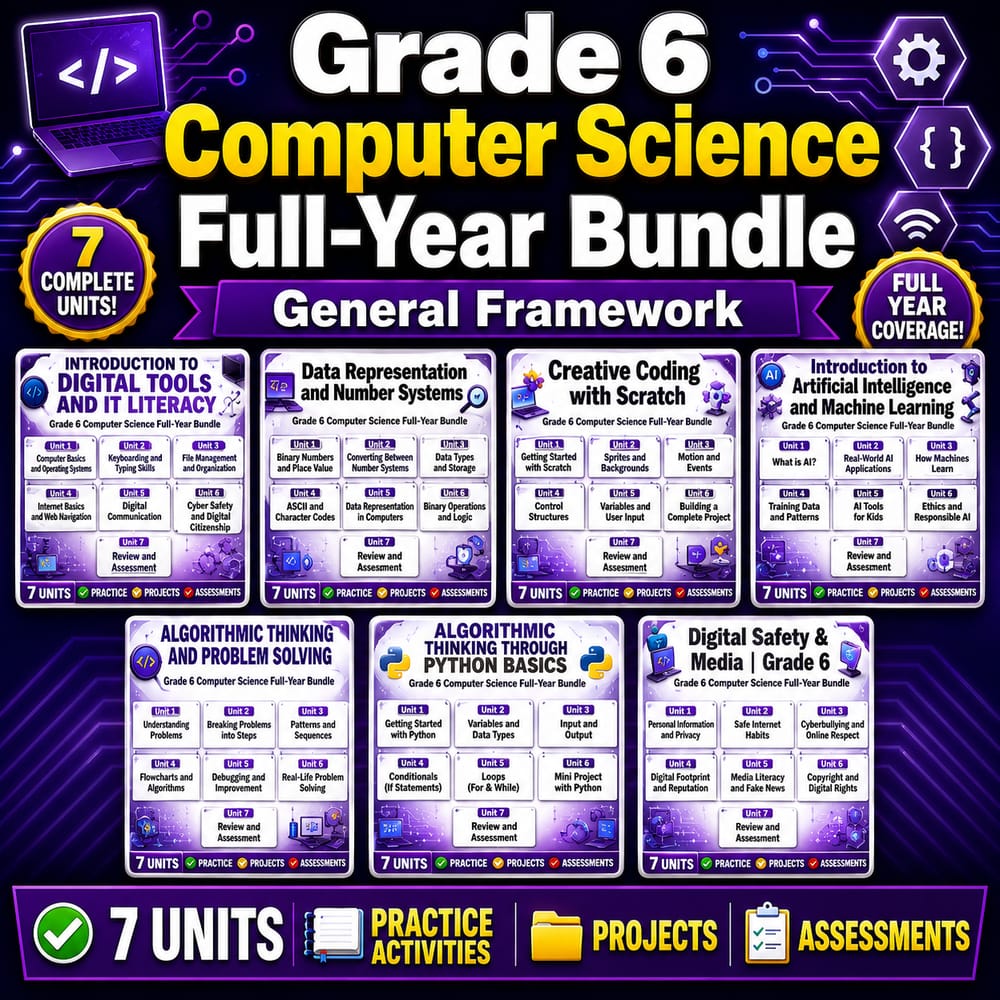
Grade 6 computer science worksheets in this Full-Year Bundle provide a coherent, year-long progression from foundational programming concepts to data reasoning, digital design, and online safety. Aligned to a General framework, this course coverage supports students as they plan, build, test, and communicate solutions, while also learning how responsible AI, privacy, and cybersecurity choices connect to real systems they use every day. Across the year, learners revisit skills in increasing depth—starting with core coding structures and problem-solving strategies, then moving toward iterative project improvement, interpreting data, and applying digital citizenship practices.
This bundle includes 54 total worksheets spanning multiple units and repeated opportunities for practice, reflection, and revision.
What's Included
This bundle covers 7 units across 54 worksheets:
- ✅ Artificial Intelligence – Students examine how AI works, how it can be limited, and how data and bias affect recommendations and outcomes.
- Responsible AI Use Worksheet Grade 6 | Computer Science Ethics
- Privacy and Data Use Worksheet | Grade 6 Computer Science
- Bias in AI Systems Grade 6 Computer Science Digital Ethics Worksheet
- Recommendation Systems Worksheet | How AI Suggestions Work Grade 6
- Machine Learning and Training Data Worksheet | Grade 6 Computer Science
- What Is Artificial Intelligence Worksheet | Grade 6 Computer Science
- ✅ Programming Fundamentals – Students practice core programming logic through sequencing, coding plans, control flow, and debugging.
- Building Interactive Projects Worksheet | Grade 6 Computer Science
- Sequencing Code Correctly Worksheet | Grade 6 Computer Science
- Pseudocode and Planning Worksheet | Grade 6 Computer Science
- Debugging Program Errors Worksheet | Grade 6 Computer Science
- Functions and Reusable Code Worksheet | Grade 6 Computer Science
- Conditionals and Branching Worksheet | Grade 6 Computer Science
- Loops and Repetition Worksheet | Grade 6 Computer Science Coding
- Event Driven Programs Triggers and Responses Worksheet Grade 6 CS
- Inputs and Outputs Worksheet | How Programs Respond Grade 6 CS
- Variables and Data Values Worksheet | Grade 6 Computer Science
- ✅ Digital Design and Projects – Students refine digital creations through iteration, feedback, planning, and clear presentation.
- Presenting a Digital Creation Computer Science Worksheet Grade 6
- Organizing a Final Digital Product Grade 6 Computer Science Worksheet
- Iteration and Improvement Computer Science Worksheet Grade 6
- Testing and Feedback in Digital Projects Grade 6 Computer Science
- User Interface Basics Computer Science Worksheet Grade 6 Activity
- Planning a Digital Project Worksheet | Grade 6 Computer Science
- ✅ Digital Citizenship – Students learn respectful online communication, privacy habits, and information organization for responsible participation.
- Cyberbullying and Respectful Response Grade 6 Computer Science Lesson
- Recognizing Scams and Phishing Computer Science Worksheet Grade 6
- Organizing Data in Tables Computer Science Worksheet Grade 6
- Digital Footprints and Online Reputation Grade 6 Computer Science
- Strong Passwords and Account Protection Grade 6 Computer Science
- Personal Information and Privacy Worksheet Grade 6 Computer Science
- ✅ Cybersecurity – Students apply practical strategies for safe access, secure accounts, and recognizing malicious attempts online.
- Protecting Devices and Data Worksheet Grade 6 Computer Science
- Safe Browsing and Downloads Worksheet Grade 6 Computer Science Activity
- Two-Factor Authentication Security Worksheet Grade 6 Computer Science
- Malware and Unsafe Downloads Worksheet Grade 6 Computer Science Activity
- Phishing and Fake Messages Worksheet Grade 6 Computer Science Activity
- Password Security Worksheet Grade 6 Computer Science Digital Safety Activity
- ✅ Networks and Internet – Students connect internet concepts to everyday experiences by exploring data flow, searching, and sharing.
- Bandwidth and Connection Speed Worksheet Grade 6 Computer Science Activity
- File Sharing and Collaboration Worksheet Grade 6 Computer Science Activity
- Cloud Storage and Syncing Worksheet Grade 6 Computer Science Activity
- Search Skills and Keywords Worksheet Grade 6 Computer Science Activity
- Web Browsers and Websites Worksheet Grade 6 Computer Science Activity
- How the Internet Works Worksheet Grade 6 Computer Science Activity
- ✅ Algorithms and Problem Solving – Students strengthen reasoning with decision logic, efficiency comparisons, decomposition, and algorithm design.
- Testing and Revising Solutions Worksheet Grade 6 Computer Science Activity
- Pattern Recognition in Problem Solving Worksheet Grade 6 Computer Science
- Comparing Efficient Solutions Worksheet Grade 6 Computer Science Activity
- Debugging Logical Errors Worksheet Grade 6 Computer Science Activity
- If-Then Logic Conditional Decisions Worksheet Grade 6 Computer Science
- Flowcharts and Decision Paths Worksheet Grade 6 Computer Science
- Decomposing Complex Problems Worksheet Grade 6 Computer Science
- Designing Step-by-Step Algorithms Worksheet Grade 6 Computer Science
- ✅ Data and Information – Students interpret and organize information using graphs, tables, and evidence-based conclusions.
- Using Data to Support Conclusions Worksheet Grade 6 Computer Science
- Finding Trends and Patterns Worksheet Grade 6 Computer Science Activity
- Comparing Data Sets Worksheet Grade 6 Computer Science Activity
- Reading Graphs and Charts Worksheet Grade 6 Computer Science Activity
- Organizing Data in Tables Worksheet Grade 6 Computer Science Activity
- Collecting Reliable Data Worksheet Grade 6 Computer Science Activity
Skills & Standards
Across the year-long sequence of Grade 6 computer science worksheets, students build skills in three major areas: computing practices, data/information reasoning, and responsible use of technology. In programming fundamentals, learners progress from planning and sequencing (pseudocode, event-driven thinking, inputs/outputs) to more structured logic using conditionals, loops, variables, functions, and reusable code. Students then apply these ideas through debugging practice, including both program errors and logical errors, and they use algorithm tools such as flowcharts and decision paths.
In algorithms and problem solving, the vertical progression continues with pattern recognition, decomposition, step-by-step algorithm design, and efficiency comparisons to support analytical reasoning. In data and information, students interpret graphs and charts, organize data in tables, identify trends, compare data sets, and practice evidence-based conclusions using reliable data. In digital design and projects, learners plan, test, gather feedback, and iterate to improve user interface choices and presentation of final products.
Throughout, students also connect technology to real-world expectations: responsible AI use, privacy and data considerations, bias in AI systems, cybersecurity habits (password security, two-factor authentication, safe browsing), and internet fundamentals such as bandwidth and search strategies. This supports core ideas around modeling and explanation with evidence—students justify decisions, describe systems, and communicate findings in ways appropriate for grade 6.
Perfect For
- Teachers planning a full year of instruction
- Sub plans across the year
- Homework or review
- Intervention or centers
- Assessment preparation
How to Use
Use the worksheets as a weekly routine: assign one to two per week, pairing coding and reasoning tasks with short reflection prompts, then schedule unit checkpoints every few weeks for testing and feedback. Sequence the bundle by starting with AI basics and computing foundations early, then interleave project and cybersecurity/digital citizenship lessons so students continually practice responsible choices while they build technical skills. Because each worksheet targets a specific skill, you can also rotate them through centers or homework packets.
Concrete classroom suggestions: Start each class with a 5-minute warm-up using one small planning or debugging worksheet question, then follow with 20–30 minutes of independent work or guided stations. During multi-day projects, use the iteration, testing, and feedback worksheets as required “checkpoints” before students finalize their digital products. If you need sub coverage, choose worksheets that stand alone (like recognizing scams, reading graphs, or organizing data) and provide a quick directions page referencing the unit goal.
Closing
Use these Grade 6 computer science worksheets to support continuous practice, clear progression, and strong preparation for everyday computing and responsible technology use.



 What Is Artificial Intelligence Worksheet | Grade 6 Computer Science
 Strong Passwords and Account Protection Grade 6 Computer Science
 Organizing a Final Digital Product Grade 6 Computer Science Worksheet
 Bandwidth and Connection Speed Worksheet Grade 6 Computer Science Activity
 Debugging Program Errors Worksheet | Grade 6 Computer Science
 Bias in AI Systems Grade 6 Computer Science Digital Ethics Worksheet
 Iteration and Improvement Computer Science Worksheet Grade 6
 Sequencing Code Correctly Worksheet | Grade 6 Computer Science
 Password Security Worksheet Grade 6 Computer Science Digital Safety Activity
 Web Browsers and Websites Worksheet Grade 6 Computer Science Activity