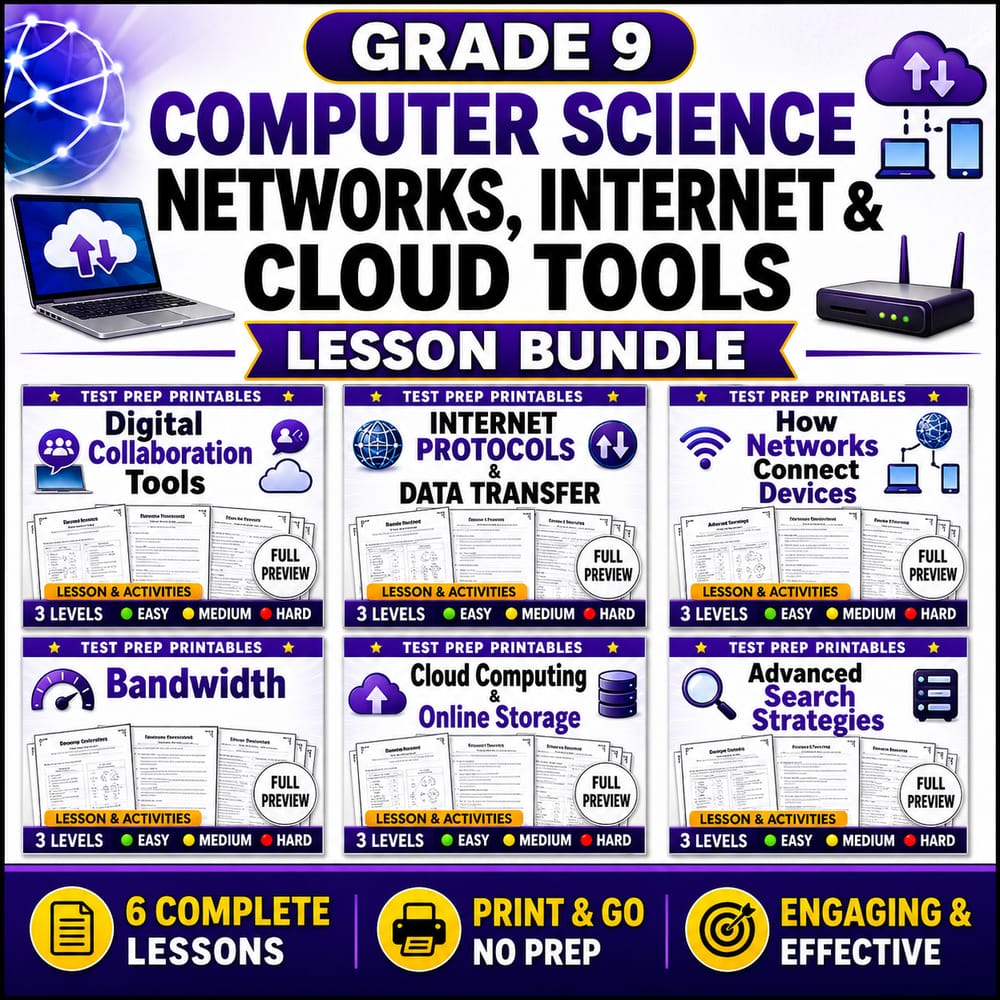
Grade 9 Computer Science Networks, Internet & Cloud Tools Lesson Bundle — bundle cover
Grade 9 Computer Science Networks, Internet & Cloud Tools Lesson Bundle — included worksheet 1
Grade 9 Computer Science Networks, Internet & Cloud Tools Lesson Bundle — included worksheet 2
Grade 9 Computer Science Networks, Internet & Cloud Tools Lesson Bundle — included worksheet 3
Grade 9 Computer Science Networks, Internet & Cloud Tools Lesson Bundle — included worksheet 4
Grade 9 Computer Science Networks, Internet & Cloud Tools Lesson Bundle — included worksheet 5
Grade 9 Computer Science Networks, Internet & Cloud Tools Lesson Bundle — included worksheet 6
Grade 9 Computer Science worksheet — Grade 9 Computer Science Networks, Internet & Cloud Tools Lesson Bundle

Description

Overview


Computer Science Networks, Internet & Cloud Tools brings computer science networks concepts to Grade 9 Computer Science under a General framework. This lesson bundle includes 6 worksheets that guide students from core ideas like bandwidth and latency through internet protocols, data transfer, and how cloud storage supports modern collaboration. Students use real scenarios—streaming media, sending files, searching online resources, and connecting devices—to build reliable, evidence-based explanations about how networks work and how performance and security choices affect outcomes.

What's Included


  • ✅ BandwidtH and Latency Computer Science Networks Worksheet Grade 9 – Students analyze how delay and throughput influence network performance and user experience.
  • ✅ Digital Collaboration Tools Worksheet | Grade 9 Computer Science – Students evaluate tool features for communication, versioning, and safe teamwork workflows.
  • ✅ Advanced Search Strategies Computer Science Worksheet Grade 9 – Students practice query techniques to find credible information efficiently and accurately.
  • ✅ Grade 9 Cloud Computing and Online Storage Computer Science Worksheet – Students compare cloud storage options and explain how data access works across devices.
  • ✅ Internet Protocols and Data Transfer Worksheet Grade 9 Computer Science – Students trace how addressing and packet-based transfer support reliable communication.
  • ✅ How Networks Connect Devices Computer Science Worksheet Grade 9 – Students model common network components and describe how devices communicate end to end.

Skills & Standards


Aligned to a General framework, this unit emphasizes disciplinary core ideas and reasoning students can apply across computer science contexts. Students develop understanding of computer science networks by interpreting performance factors (latency, bandwidth), using evidence from scenarios, and explaining trade-offs. They build analytical skills in modeling data transfer flows, describing packet/endpoint concepts, and connecting network design choices to outcomes such as reliability and speed. Throughout, learners practice evidence-based explanations: they justify conclusions using observations from worksheets, compare alternative strategies for collaboration and searching, and connect cloud storage behaviors to access and reliability considerations. The bundle also supports crosscutting concepts such as systems thinking (how components interact), cause-and-effect (how protocols and resource limits change results), and data and representations (using diagrams or structured responses to communicate network behavior).

Perfect For


  • Teachers seeking structured instruction
  • Sub plans
  • Homework or review
  • Intervention or centers
  • Assessment preparation

How to Use


Use this lesson bundle as a focused unit over 1–3 weeks, depending on your class schedule and prior network exposure. Start with a short warm-up using a familiar scenario (e.g., “Why does video buffering happen?”) and then pair it with the Bandwidth and Latency worksheet for guided practice. Follow with protocol- and device-focused activities to build from concepts to explanation, using an “exit ticket” at the end of each worksheet day (one claim + one piece of evidence from the scenario). For the final review, have students complete an end-of-unit synthesis response that connects how networks connect devices, how data transfer works, and how cloud tools support collaboration in real life.

Closing


By the end of the Computer Science Networks, Internet & Cloud Tools unit, students can explain how data moves, why performance varies, and how modern tools rely on networked systems.

Grade 9 Computer Science Networks, Internet & Cloud Tools Lesson Bundle

$24.00$30.00Save $6.00
Prism Point Learning
·2 followers·13 sales
SubjectComputer ScienceGradeGrade 9Pages184 Pages

What’s included

6 worksheets · 184 pages · Save $6.00 (20%) · prices shown inside the bundle

  1. Digital Collaboration Tools Worksheet | Grade 9 Computer Science
    Digital Collaboration Tools Worksheet | Grade 9 Computer Science

    Grade 9 · Computer Science · 30 Pages

    • Explain how shared documents, comments, version history, and permissions support teamwork.
    • Use key vocabulary (collaboration, permission, comment, version) accurately in sentences.
    • Identify correct practices for working together safely and effectively online.
    $4.00$5.00
  2. Internet Protocols and Data Transfer Worksheet Grade 9 Computer Science
    Internet Protocols and Data Transfer Worksheet Grade 9 Computer Science

    Grade 9 · Computer Science · 32 Pages

    • Explain how protocols help devices communicate reliably across networks.
    • Describe how data is broken into packets and reassembled at the destination.
    • Use key vocabulary (protocol, packet, transfer, communication) to explain online message delivery.
    $4.00$5.00
  3. How Networks Connect Devices Computer Science Worksheet Grade 9
    How Networks Connect Devices Computer Science Worksheet Grade 9

    Grade 9 · Computer Science · 30 Pages

    • Explain how networks connect devices to communicate and share resources
    • Identify common network infrastructure components such as routers and transmission media
    • Use key vocabulary (network, device, router, connection) correctly in context
    $4.00$5.00
  4. Bandwidth and Latency Computer Science Networks Worksheet Grade 9
    Bandwidth and Latency Computer Science Networks Worksheet Grade 9

    Grade 9 · Computer Science · 32 Pages

    • Explain the difference between bandwidth and latency in computer networks
    • Predict how latency and bandwidth affect the time it takes for data to move
    • Use network vocabulary such as delay, packet, and throughput accurately
    $4.00$5.00
  5. Grade 9 Cloud Computing and Online Storage Computer Science Worksheet
    Grade 9 Cloud Computing and Online Storage Computer Science Worksheet

    Grade 9 · Computer Science · 30 Pages

    • Explain how cloud computing uses remote servers to provide storage and services.
    • Describe how online storage supports backups, sharing, and syncing across devices.
    • Use key vocabulary accurately, including cloud computing, server, storage, and sync.
    $4.00$5.00
  6. Advanced Search Strategies Computer Science Worksheet Grade 9
    Advanced Search Strategies Computer Science Worksheet Grade 9

    Grade 9 · Computer Science · 30 Pages

    • Use keyword selection to make search queries more precise and relevant.
    • Apply common search operators and quotation marks to narrow results.
    • Interpret search filters and relevance to improve research quality.
    $4.00$5.00

Reviews & Feedback

Loading reviews...

Questions & Answers

Loading questions…

About this bundle

Related categories

Frequently asked questions

Who is Grade 9 Computer Science Networks, Internet & Cloud Tools Lesson Bundle designed for?
Grade 9 Computer Science Networks, Internet & Cloud Tools Lesson Bundle is designed for Grade 9 students and Computer Science learners and can be used in classrooms, homeschool, or independent practice.
How do I download Grade 9 Computer Science Networks, Internet & Cloud Tools Lesson Bundle?
Add it to your cart and complete checkout. After payment, you can download immediately from your account, and you'll also receive a download link by email.