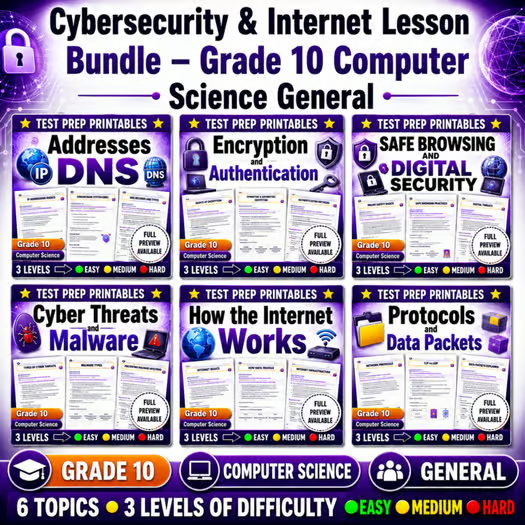
Cybersecurity & Internet Lesson Bundle – Grade 10 Computer Science General — bundle cover
Cybersecurity & Internet Lesson Bundle – Grade 10 Computer Science General — included worksheet 1
Cybersecurity & Internet Lesson Bundle – Grade 10 Computer Science General — included worksheet 2
Cybersecurity & Internet Lesson Bundle – Grade 10 Computer Science General — included worksheet 3
Cybersecurity & Internet Lesson Bundle – Grade 10 Computer Science General — included worksheet 4
Cybersecurity & Internet Lesson Bundle – Grade 10 Computer Science General — included worksheet 5
Cybersecurity & Internet Lesson Bundle – Grade 10 Computer Science General — included worksheet 6
Grade 10 Computer Science worksheet — Cybersecurity & Internet Lesson Bundle – Grade 10 Computer Science General

Description

Overview


Cybersecurity & Internet: How the Internet Works in Grade 10 Computer Science uses 6 General-framework worksheets to strengthen security and networking reasoning with practical classroom tasks. Students connect digital safety choices to how information moves across networks, building a foundation for responsible computing.

What's Included


  • ✅ Cyber Threats and Malware Worksheet | Grade 10 Computer Science Activity – Students identify common threat types and describe how malware can impact systems and users.
  • ✅ Safe Browsing and Digital Security Worksheet | Grade 10 Computer Science – Students apply secure browsing habits and evaluate scenarios involving privacy and online safety.
  • ✅ Grade 10 Computer Science Encryption and Authentication Worksheet Pack – Students explain encryption and authentication in plain language and use simple examples to compare protections.
  • ✅ Protocols and Data Packets Worksheet | Grade 10 Computer Science Activity – Students trace how data is packaged and transferred using protocols and packet ideas.
  • ✅ IP Addresses and DNS Worksheet Grade 10 Computer Science Network Basics – Students practice mapping names to IP addresses and interpret what DNS and addressing accomplish.
  • ✅ Grade 10 How the Internet Works Worksheet | Computer Science Activity – Students synthesize the full flow of information across the internet using clear, step-by-step reasoning.

Skills & Standards


Within this unit on Cybersecurity & Internet, students practice crosscutting ideas common to computer science: systems thinking, data representation, and cause-and-effect reasoning. They analyze security as a system of protections rather than a single tool—moving from recognizing threats to explaining how encryption, authentication, and safe browsing work together. Learners use modeling and analytical reasoning by breaking down “the internet” into components (endpoints, naming, addressing, protocols, and packets) and then explaining how messages travel from sender to receiver. Throughout, students strengthen evidence-based explanations by citing what each mechanism does (for example, what encryption changes about data and what DNS resolves in addressing). The unit also builds concrete competencies in identifying malware and risky behaviors, applying digital security decision-making, interpreting packet/protocol roles, and connecting IP addressing and DNS to real-world request and response behavior, all aligned to a General framework approach that emphasizes reasoning, communication, and responsible computing.

Perfect For


  • Teachers seeking structured instruction
  • Sub plans
  • Homework or review
  • Intervention or centers
  • Assessment preparation

How to Use


Use this Lesson Bundle as a focused unit over roughly 1–3 weeks, selecting worksheets based on your pacing and student needs. Try a quick warm-up each day (e.g., “spot the threat” scenario or a one-question packet/protocol prompt), follow with guided practice using the worksheet’s scenario steps, and close with an exit ticket that asks students to justify a security or networking choice using the unit vocabulary. For an end-of-unit review, have students complete a short “system explanation” where they connect malware awareness, safe browsing, encryption/authentication, and packet flow into one coherent narrative.

Closing


With Cybersecurity & Internet worksheets, students learn how trustworthy computing depends on both safe user behaviors and the underlying mechanics of How the Internet Works.

Cybersecurity & Internet Lesson Bundle – Grade 10 Computer Science General

$24.00$30.00Save $6.00
Prism Point Learning
·2 followers·13 sales
SubjectComputer ScienceGradeGrade 10Pages184 Pages

What’s included

6 worksheets · 184 pages · Save $6.00 (20%) · prices shown inside the bundle

  1. IP Addresses and DNS Worksheet Grade 10 Computer Science Network Basics
    IP Addresses and DNS Worksheet Grade 10 Computer Science Network Basics

    Grade 10 · Computer Science · 32 Pages

    • Explain how IP addresses identify devices on a network.
    • Describe how DNS translates domain names into IP addresses.
    • Trace how a browser uses DNS and IP addressing to reach a website.
    $4.00$5.00
  2. Grade 10 Computer Science Encryption and Authentication Worksheet Pack
    Grade 10 Computer Science Encryption and Authentication Worksheet Pack

    Grade 10 · Computer Science · 30 Pages

    • Explain how encryption protects information by making it unreadable without the correct key
    • Describe how authentication verifies that a user or device is allowed to access data or services
    • Distinguish between encryption and authentication in common security scenarios
    $4.00$5.00
  3. Safe Browsing and Digital Security Worksheet | Grade 10 Computer Science
    Safe Browsing and Digital Security Worksheet | Grade 10 Computer Science

    Grade 10 · Computer Science · 30 Pages

    • Apply safe browsing habits by checking URLs, avoiding suspicious downloads, and keeping software updated.
    • Explain how strong, unique passwords and safe account settings protect digital accounts and personal information.
    • Evaluate risky online scenarios and choose the safest response.
    $4.00$5.00
  4. Cyber Threats and Malware Worksheet | Grade 10 Computer Science Activity
    Cyber Threats and Malware Worksheet | Grade 10 Computer Science Activity

    Grade 10 · Computer Science · 32 Pages

    • Identify common cyber threats such as phishing, spyware, viruses, and ransomware by their warning signs and effects.
    • Match malware and threat types to likely impacts on computers, accounts, or data.
    • Apply safe response strategies when encountering suspicious links, downloads, or messages.
    $4.00$5.00
  5. Grade 10 How the Internet Works Worksheet | Computer Science Activity
    Grade 10 How the Internet Works Worksheet | Computer Science Activity

    Grade 10 · Computer Science · 30 Pages

    • Explain how data moves across the internet using networks, servers, and routers.
    • Identify key roles of clients and servers in requesting and receiving information.
    • Describe the path of a web request from device to remote server and back.
    $4.00$5.00
  6. Protocols and Data Packets Worksheet | Grade 10 Computer Science Activity
    Protocols and Data Packets Worksheet | Grade 10 Computer Science Activity

    Grade 10 · Computer Science · 30 Pages

    • Explain how protocols define rules for communication between network devices.
    • Describe how data packets move across a network and how they are reassembled at the destination.
    • Identify why network standards and common protocol rules improve reliability and interoperability.
    $4.00$5.00

Reviews & Feedback

Loading reviews...

Questions & Answers

Loading questions…

About this bundle

Related categories

Frequently asked questions

Who is Cybersecurity & Internet Lesson Bundle – Grade 10 Computer Science General designed for?
Cybersecurity & Internet Lesson Bundle – Grade 10 Computer Science General is designed for Grade 10 students and Computer Science learners and can be used in classrooms, homeschool, or independent practice.
How do I download Cybersecurity & Internet Lesson Bundle – Grade 10 Computer Science General?
Add it to your cart and complete checkout. After payment, you can download immediately from your account, and you'll also receive a download link by email.